


Call Us: +(830) 205-3255
Every Brand, Every Fault
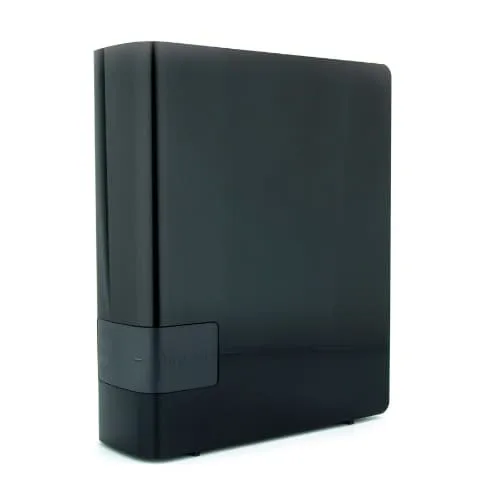
External drives hold the backups, family photos and work files people can’t afford to lose, and they fail in their own ways: knocked off a desk, unplugged mid-copy, a snapped USB port, a dead circuit board. Jet Data Recovery recovers data from external and portable hard drives of every brand, in person at our San Antonio lab or by mail from anywhere in the U.S.
Call (830) 205-3255 any time, 24/7, for a free evaluation. If we can’t recover your data, you don’t pay a recovery fee.
Find the symptom that matches yours. Each one points to a different kind of fault.
More detail: First steps after data loss.
It’s the most common DIY fix online, and on modern external drives it often fails or makes things worse:
So bring the whole unit in, case and cable included. In June we recovered the files from an external drive whose controller had failed, a common fault on these drives and one that usually comes back well when it’s handled properly.
For USB sticks and memory cards, see flash drive recovery.
Read more about our data recovery process.
It depends on what failed, which is why the evaluation comes first.
The evaluation is free, you get a clear quote before any work begins, and if we can’t recover your data you don’t pay a recovery fee. See what affects your chances of recovery.
Simple cases such as deleted files or a formatted drive are often done in 1 to 2 days. Board repairs and physical damage take longer, and you’ll get a realistic timeline after the evaluation. If you’re up against a deadline, ask about our emergency data recovery service, which moves your drive to the front of the queue.
In San Antonio
Jet Data Recovery
10207 North I35, Suite #201
San Antonio, TX 78233
(830) 205-3255
Call before you come so we’re ready for you.
Outside San Antonio
Pack the drive in its case with padding on every side, and use a tracked service. See how to pack your device, fast shipping and our nationwide mail-in service.
Usually, yes. The cause can be the USB board, the port, the read heads or the firmware, and the free evaluation tells us which. Stop plugging it in, because a failing drive can get worse each time it powers up.
Unplug it and don’t plug it in again. Clicking or beeping usually means the read heads have failed or are stuck, and running the drive can scratch the surface that holds your files.
No. Click Cancel. The message means Windows can’t read the file system, not that your files are gone. Formatting, initializing or erasing the drive writes over information we use to rebuild your folders.
We don’t recommend it. Many external drives encrypt data on the USB board, and many newer ones have no standard connector, so it often doesn’t work and can damage the board. Bring the drive in as it is, with its cable.
Not necessarily. A drop usually damages the heads, while the data on the platters often survives. Don’t power the drive on to check. Recovery after a drop usually needs cleanroom work, which is done through our certified partner lab.
It depends on what failed. The evaluation is free, you get a clear quote before any work begins, and if we can’t recover your data you don’t pay a recovery fee.
The sooner the drive is unplugged and with us, the better your chances. Call (830) 205-3255 any time, or start your recovery online.
After filling out this form you will receive a call from us to discuss your data recovery project. Please check to make sure all information is accurate.
© 2026 All Rights Reserved.