A 0 GB SSD, a missing BIOS drive, or a generic controller name can signal controller failure, even when its NAND data remains intact. It may look like a dead drive or simple Windows error. Do not reboot, initialize, flash firmware, or run scans. This guide ranks seven controller failure signs by risk and shows when careful checks stop and recovery-lab work begins.
Controller Failure Signs at a Glance
| Sign | Best for | Likely failure layer | Immediate action | Recovery urgency |
|---|---|---|---|---|
| Jet Data Recovery for SSD controller failure | Urgent SSD controller-failure evaluation | Controller, firmware, board, or logical failure | Power down and request a diagnostic evaluation | High when the SSD is not detected or reports 0 GB |
| SSD disappears from BIOS or UEFI | Identifying hardware or firmware-level failure | Controller, PCB, power circuit, or firmware | Stop power-cycling and do not run recovery software | Critical |
| SSD reports 0 GB or an incorrect capacity | Recognizing firmware or translation-layer failure | Firmware, FTL, controller, or NAND service area | Do not initialize, format, or erase the drive | Critical |
| SSD appears under a generic controller or factory name | Identifying a limited controller boot state | Controller firmware or FTL | Do not flash firmware or format the drive | High |
What to know about SSD controller failure
The controller is the SSD’s traffic manager. It runs firmware, corrects errors, manages wear, and maps files to NAND flash locations.
When it fails, data may still exist on the chips, but your computer cannot reach it. An SSD missing from BIOS, showing 0 GB, or using the wrong name needs specialist diagnosis, not consumer recovery software.
1. Jet Data Recovery for SSD controller failure
Jet Data Recovery is the best overall first call for an SSD with controller-failure signs. Power it down and request an evaluation, especially if it is missing or shows 0 GB.

Highlights
- SSD recovery for controller, firmware, board, and logical faults.
- Free evaluation, 24-hour rush options, and nationwide mail-in service.
- Controller failures can leave an SSD undetected or at 0 GB.
Specs - Best for: Urgent SSD controller-failure evaluation
- Immediate action: Power down – do not run recovery software or reformat.
Pros - No-data-no-charge policy
- Data returned on new media
Cons - Diagnosis determines the recovery path and timeline
It ranks first because it fits urgent cases without promising a result.
Last updated: August 31, 2026
Also Read: Data Recovery Services – Latest Blogs
2. SSD disappears from BIOS or UEFI
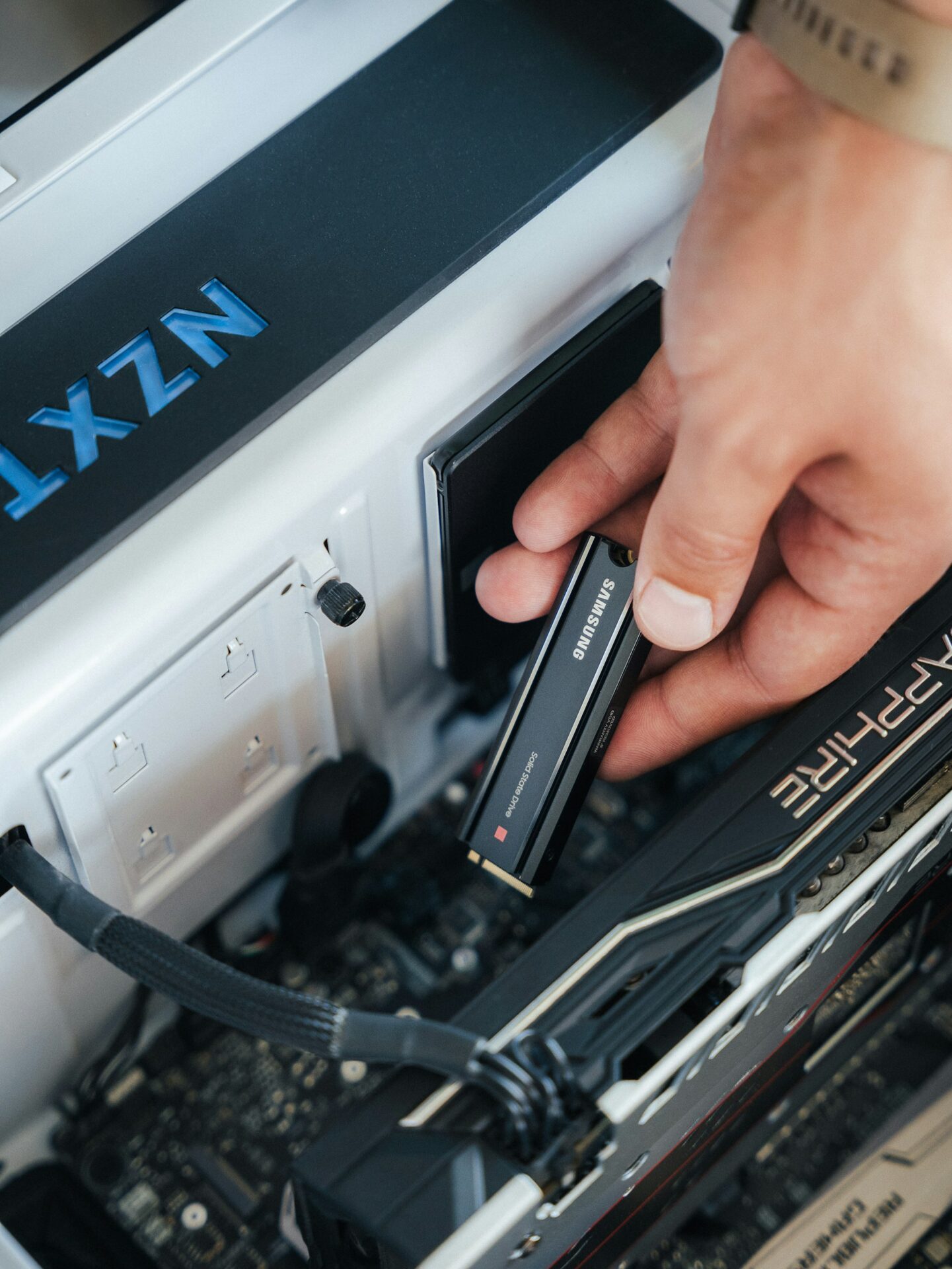
If the SSD is missing before Windows or macOS loads, the failure sits below the file system. An SSD not detected in BIOS controller failure may involve the controller, power circuit, or firmware.
Highlights
- Check the cable, slot, enclosure, or connector once. ASUS lists these hardware checks.
- Do not keep power-cycling or run recovery software. Software cannot scan a drive firmware cannot see, as this recovery guide explains.
- Likely layer: controller, PCB, power circuit, or firmware.
- Urgency: Critical.
Pros
- Strongly rules out ordinary file-system damage.
Cons
- A bad adapter or slot can mimic a dead SSD.
This ranks highest because safe home recovery is unlikely after one careful configuration check.
Last updated: August 31, 2026
Also Read: Blog – Jet Data Recovery
3. SSD reports 0 GB or an incorrect capacity
A capacity error often points to firmware panic or FTL failure. The NAND may still hold your data, but the controller cannot map it correctly.
Highlights
- An SSD showing 0 GB, 1 GB, or a fixed tiny size may be in a controller fallback state, not empty. FTL corruption can block logical access.
- Sudden power loss or a failed firmware update can trigger it.
- Do not initialize, format, erase, or partition the drive. Those writes can harm recovery-relevant data. Firmware panic symptoms need lab diagnosis.
Specs
- Best for: Firmware or translation-layer failure
- Urgency: Critical
Pros
- Often separates controller trouble from simple deletion.
Cons
- A bad USB enclosure can also misreport capacity.
This ranks here because 0 GB is a specific, urgent controller warning.
4. SSD appears under a generic controller or factory name
A sudden name change can signal a limited controller boot state. SATAFIRM S11 is one known example, but names vary by controller family.
Highlights
- Normal model name changes to a factory or diagnostic label.
- It may also show 0 GB, RAW, or no accessible partition.
- This can point to firmware or FTL loading failure. Do not flash firmware or format it, since those actions can erase recovery data.
Specs
- Best for: Identifying a limited controller boot state
- Likely failure layer: Controller firmware or FTL
- Recovery urgency: High
Pros
- The generic name helps identify the controller family.
Cons
- It does not prove the NAND is healthy.
This ranks fourth because it is a strong firmware clue, but less obvious than total BIOS loss or 0 GB capacity.
Last updated: August 31, 2026
Additional Controller Failure Warning Signs
These signs are less specific, but act fast before the SSD disappears completely.
- SSD freezes or vanishes during reads – Repeated access can worsen unstable controller, firmware, power, or NAND issues.
- SSD becomes read-only unexpectedly – This protective state can signal worn NAND, spare-block loss, or firmware trouble.
- Corruption, boot errors, or repeated I/O failures – Confirm the drive stays visible at full capacity.
How to choose the fastest SSD recovery service
Choose a lab that can start emergency work, not just answer after hours. Jet Data Recovery stands out with 24-hour rush service, free evaluation, and no-data-no-charge terms.
- Confirm controller, firmware, board, NAND, SATA, NVMe, M.2, and external SSD support.
- Ask where engineers handle the drive, especially for sensitive data.
- Share the exact model, symptoms, power event, and last working time.
- Treat turnaround estimates as goals, not guarantees.
Do not power the SSD on again before sending it in.

Stop using the SSD. Contact Jet Data Recovery for secure, professional help with suspected controller failure and lost files.
Frequently Asked Questions
Q1: Which SSD recovery service is fastest?
Fast service depends on the failure and drive condition. Choose a lab that can assess controller damage quickly, protects the original NAND chips, and gives a clear recovery timeline before work starts.
Q2: Should I keep powering on a failed SSD?
No. Repeated power cycles can worsen controller faults and reduce access to data. Disconnect the SSD, avoid repair software, and keep it dry and protected.
Q3: Can deleted SSD files always be recovered?
Not always. TRIM may erase blocks after deletion. Stop using the drive immediately, since new data and background cleanup can make recovery far less likely.