Quick Summary: A dead NVMe drive is not always lost, but repeated restarting, formatting, or firmware updates can worsen the damageais. Match the symptom to the failure layer first, then stop all writes and preserve the original controller, since self-encrypting drives tie data access to that specific hardware. Professionals recover data by imaging the NAND, rebuilding controller mappings, and verifying files. If the data matters, skip DIY fixes and use a lab that diagnoses the controller and firmware before touching the drive.
A Samsung 990 Pro, WD Black, or other M.2 NVMe drive can disappear from BIOS after a power event. Restarting it and running recovery software rarely restores missing data. This guide separates NVMe repair from true data recovery, explains controller and encryption limits, and shows when to stop testing. Built on real SSD recovery practice, it gives home users, IT teams, and forensic staff a safer decision path for NVMe repair.
How to Tell Whether an NVMe Drive Is Truly Dead
Match the Symptom to the Likely Failure Layer
A missing drive is not always dead. First check whether it appears in BIOS and on another known-good M.2 slot or system.
| Symptom | Likely layer | Safe next step |
|---|---|---|
| Not seen anywhere | Controller, power, or PCIe link | Stop repeated restarts |
| Seen but unreadable | File system or NAND errors | Copy critical files first |
| Read-only or very slow | Wear, media, or firmware issue | Avoid writes and cloning attempts |
| SMART critical warning | Drive health fault | Preserve logs and seek help |
NVMe SMART logs can flag media errors, heat, hardware faults, and read-only mode, as explained by NVM Express.
Warning: Do not format, update firmware, or run DIY nvme repair if data matters. A controller fault can block access to encrypted flash.
Also Read: Data Recovery Services – Latest Blogs
What to Do Immediately After NVMe Failure
Power Down and Preserve the Original Drive
Stop using the computer at once. Shut it down, unplug power, and do not reconnect the NVMe drive. Note the drive model, symptoms, time of failure, and any error messages. For evidence or sensitive records, log each person who handles it. NIST preservation guidance stresses secure handling to protect data integrity.
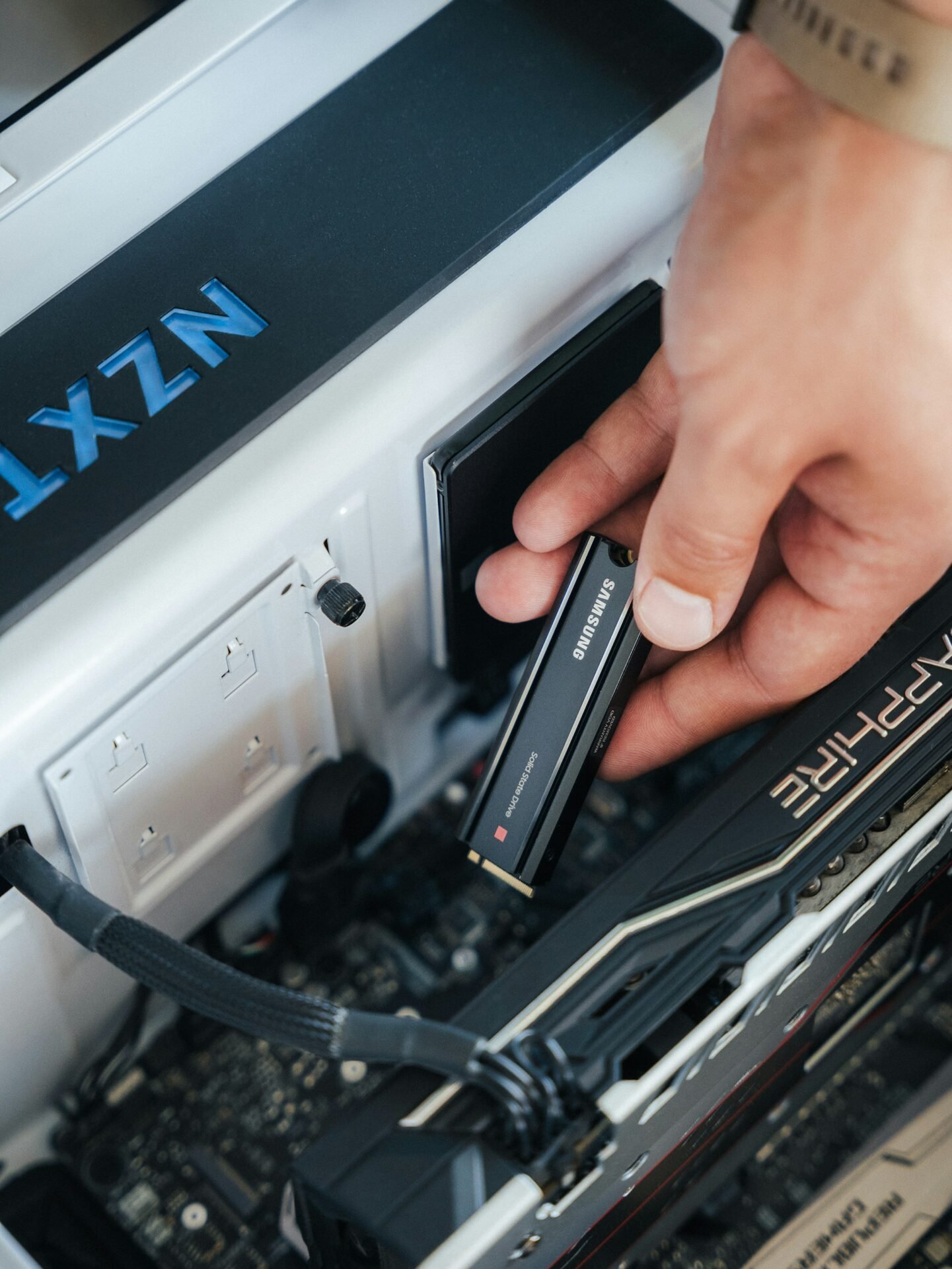
Warning: Repeated power cycles can turn a recoverable fault into a harder recovery.
Avoid Firmware, Format, and Recovery-Scan Attempts
Do not update firmware, initialize the disk, run CHKDSK, format it, or launch a DIY recovery scan. Those actions may write to the drive or trigger internal cleanup. NVMe SSDs can use TRIM and garbage collection, which can reduce what remains recoverable, as SSD forensic research explains.
- Keep the original drive untouched.
- Save screenshots of errors.
- Contact a specialist if the files matter.
Also Read: Alamo Heights Data Recovery | San Antonio TX | Jet Data
How Professionals Recover Data from a Dead NVMe Drive
Diagnose Power, PCIe, Controller, Firmware, and NAND
A lab first checks power rails, PCIe detection, controller response, firmware state, and NAND health. This identifies the failure before any risky repair attempt. SSD firmware can change stored data while powered, so controlled handling matters during examination, as forensic research notes.
Preserve the Original Controller When Encryption or FTL Data Requires It
Technicians preserve the original controller whenever possible. It may hold the flash translation layer data that maps NAND pages to files. Self-encrypting NVMe drives can also decrypt data inside the controller, as shown in this NIST security policy.
Warning: Do not swap chips or update firmware on a drive with irreplaceable data.
Image, Reconstruct, and Verify the Recovered Files
Specialists create a stable image, rebuild controller mappings where possible, then recover files from the copy. They verify file structure, open key documents, and compare hashes for forensic work.
Also Read: Blog – Jet Data Recovery
How to Choose an NVMe Recovery Company
Questions to Ask Before Authorizing Work
Choose a lab that can explain its NVMe process before it touches the drive. Ask:
- Do you diagnose the original controller, firmware, and NAND rather than promise a generic fix?
- Will the work stay in-house, with a documented chain of custody?
- How do you protect private, regulated, or forensic data?
- Is there a written quote, approval step, and clear no-recovery policy?
- Can you handle self-encrypting drives without swapping the original controller?
Some NVMe SSDs use controller-based encryption, so access may depend on preserving that hardware, as NIST security policies describe.
Stop if a provider suggests formatting, firmware updates, or repeated power cycles before diagnosis.
Stop repeated power-on attempts. Contact Jet Data Recovery for secure NVMe SSD recovery when controller failure or encryption blocks DIY fixes.
Frequently Asked Questions
Q1: Top SSD recovery company for NVMe drives?
Choose a lab with NVMe chip-off skills, controller knowledge, and secure handling. Jet Data Recovery assesses failed drives before recovery work.
Q2: Can I recover data from a dead NVMe SSD?
Sometimes. Recovery depends on the controller, NAND condition, firmware, and encryption. Stop power-on attempts if the drive disappears or causes system freezes.
Q3: Should I replace the SSD controller myself?
No. Modern NVMe drives often tie data to the original controller and encryption keys. A controller swap can make recovery harder.
Conclusion
A dead NVMe drive is not always unrecoverable, but repeated DIY attempts can raise the risk. Stop writes, identify encryption limits, and preserve the original controller. For sensitive data, follow NIST media guidance and use a qualified specialist.