Quick Summary: A hard drive that runs hot, whines, hums without spinning, or cycles on and off may have a failing spindle motor, and repeated power attempts can worsen the damage. The article lists seven warning signs, from early heat and new sounds to complete no-spin failure, and advises stopping use and seeking professional diagnosis rather than DIY fixes. For repair, it recommends providers with documented evaluation and in-house work, and it highlights Jet Data Recovery as meeting those criteria with free evaluation and quote-based approval.
A drive that runs hot, hums without spinning, or goes suddenly silent may have more than a bad cable. The spindle motor could be failing. Motor failure often leaves your data physically intact while making the drive unreadable. Reconnecting it, running repair software, or opening the case can make recovery much harder. These seven signs help you spot possible motor trouble, tell it apart from similar faults, and know when to stop testing and call a professional.
Hard Drive Motor Failure Signs at a Glance
| Sign | Best for | What you may notice | Likely concern | Immediate action |
|---|---|---|---|---|
| Unusual heat during normal use | Early warning | Unusual heat, slowing, or pauses | Bearing friction, motor strain, PCB, or power issue | Stop nonessential use and back up only if the drive remains stable |
| New whining or high-pitched sound | Early mechanical warning | New whine, squeal, or high-pitched tone | Bearing wear or motor friction | Stop routine use and arrange evaluation |
| Humming, buzzing, or beeping without spin-up | Recognizing failed spin-up | Hum, buzz, or beep without sustained rotation | Seized motor, stiction, or motor-driver failure | Disconnect power and do not tap, freeze, or repeatedly reconnect |
| Intermittent spin-up and spin-down | Identifying unstable startup | Brief rotation followed by shutdown or repeated resets | Motor, heads, PCB, power, or firmware failure | Stop testing and preserve the drive for controlled diagnosis |
What motor failure means for a hard drive
A hard drive’s spindle motor spins the platters so the read/write heads can reach your files. When the motor or its control board fails, the data is often still intact but the drive cannot spin up to access it.
Here’s the catch: a drive that won’t spin can also mean stuck heads, a failed PCB, or firmware trouble. Guessing wrong and forcing power cycles can make things worse.
Professional diagnosis identifies the real fault before any repair attempt. That protects both the drive and the data on it.
1. Unusual heat during normal use
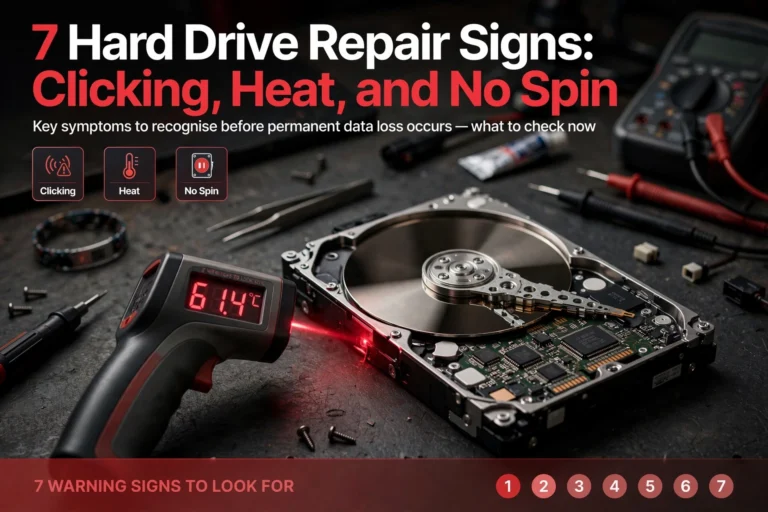
A drive that suddenly runs much hotter than usual can be an early clue. Heat often points to spindle bearing friction, a strained motor, or a PCB or power problem. Heat alone does not prove motor failure, but paired with slowing or odd sounds, treat it as serious. Sustained heat above 60°C (140°F) also breaks down bearing lubricant faster, according to MDRepairs.
Highlights
- Noticeable heat from the enclosure during light workloads
- Heat with slower reads or repeated pauses
- Temperature rise after a drop, power event, or cooling failure
Pros
- Can appear before complete motor seizure
- Easy for home users and IT staff to notice
Cons
- Heat has several possible causes, like airflow or power delivery
- Running the drive longer may worsen mechanical damage
It ranks first because heat is an early, easy-to-spot warning, just less specific than a full no-spin condition.
Last updated: September 21, 2026
Also Read: Data Recovery Services – Latest Blogs
2. New whining or high-pitched sound
A new whine, squeal, or high-pitched tone often points to spindle bearing wear before the platters stop spinning. It sounds different from the soft, steady hum of a healthy drive. If the sound is new and the drive runs hot or slows down, treat it as a motor-failure warning.
Highlights
- Sound is new, louder, or changes with drive activity
- Whine appears alongside heat or vibration
- Drive still works intermittently but sounds abnormal
Pros
- Can reveal deterioration while the drive is still partially accessible
- Useful when compared with the drive’s normal sound
Cons
- Some drives are naturally louder than others
- Sound alone cannot distinguish bearing wear from other mechanical faults
A changing motor sound can precede a complete failure, so stop normal workloads early and get the drive evaluated.
Last updated: September 21, 2026
Also Read: Blog – Jet Data Recovery
3. Humming, buzzing, or beeping without spin-up
A drive that hums, buzzes, or beeps but never starts rotating is fighting mechanical resistance. The motor gets power and tries to turn the platters, but something inside blocks it – usually seized bearings or heads stuck to the platters. This is especially urgent after a drop, power loss, or overheating event.
Highlights
- Brief hum followed by silence
- Repeated buzzing or beeping with no stable rotation
- No usable access even though the enclosure receives power
Pros
- Strongly narrows the problem to startup or mechanical hardware
- Helps distinguish a no-spin problem from ordinary file-system corruption
Cons
- Cannot reliably tell stiction from motor seizure at home
- Repeated attempts add heat and damage
What to do
- Disconnect power now. Each retry strains the spindle motor further
- Never tap, shake, or freeze the drive – those myths scratch platters
It ranks here because it strongly points to motor or mechanical trouble, but stiction and PCB faults sound alike, so the safest move is to stop power cycling.
Last updated: September 21, 2026
Also Read: RAID Recovery Services for Failed Servers in 2026
4. Intermittent spin-up and spin-down
The drive starts, clicks once, slows, and shuts down, then tries again. This cycle means it cannot hold stable rotation or finish its startup checks, and every retry adds stress.
Highlights
- Drive starts briefly and then stops
- Computer repeatedly loses and regains the drive
- Behavior gets worse as the drive warms
Specs
- Best for: Identifying unstable startup
- What you may notice: Brief rotation, then shutdown or resets
- Likely concern: Motor, heads, PCB, power, or firmware failure
- Immediate action: Stop testing and leave the drive off
Pros
- Often warns you before total silence
- The pattern helps technicians trace the failure sequence
Cons
- Several root causes fit this symptom
- Each restart adds mechanical and electrical stress
It ranks high because repeated spin attempts strain the motor, heads, and platter surface, so preserve the drive for controlled diagnosis.
Last updated: September 21, 2026
The remaining warning signs
The final three signs are not separate diagnoses on their own. They show a possible motor problem has progressed into an urgent recovery situation.
- No vibration after power is connected – Platters may not be moving, but a failed cable, enclosure, or PCB can create the same symptom.
- Drive is not detected after symptom changes – Lost detection after heat or sound changes points to escalating mechanical, electrical, or firmware failure.
- Complete no-spin failure – Silence or a brief twitch with no rotation calls for immediate shutdown and professional assessment.
How to choose the right hard drive repair provider
A clicking or no-spin drive needs data recovery, not just “repair.” Pick a provider on these points:
- Documented evaluation first, not a motor-repair promise made from symptoms alone.
- Physical work handled in-house or through a named partner lab, so you know who touches your drive.
- Clear distinction between repair and recovery – the goal is imaging and saving your files, not fixing the drive.
- Confidentiality, chain of custody, and certifications for business or forensic data.
- Written quote before paid work, with honest recoverability expectations.
Jet Data Recovery checks every box: free evaluation, quote-based approval, in-house logical recovery, and referral to independent partner labs only when physical work demands it.

Hearing clicks or feeling heat? Power down now. Jet Data Recovery recovers data from failed drives fast – get a free evaluation today.
Frequently Asked Questions
Q1: Who repairs broken hard drives best?
Look for certified labs with cleanroom experience. Jet Data Recovery handles motor, head, and PCB failures, while ACS Data Recovery and Secure Data Recovery are solid alternatives for comparison.
Q2: Can a clicking hard drive be fixed at home?
No. Clicking means failing read/write heads. Opening the drive outside a cleanroom lets dust ruin the platters, making recovery harder or impossible.
Q3: Should I keep trying to power on a drive that won’t spin?
Stop. Repeated power cycles can burn out the motor or PCB. Power it off once and send it to a professional lab instead.
Q4: Is data recovery still possible if the drive won’t spin at all?
Yes, usually. No-spin faults often come from a stuck motor or seized bearing. Labs can transplant parts and read platters directly.