Quick Summary: Mechanical hard drive repair only stabilizes a drive long enough to copy data off, it never makes the drive safe for reuse. Recovery is the right choice for clicking, grinding, or non-spinning drives, since each power-on risks permanent platter damage. The process requires a cleanroom for head swaps and imaging, with costs ranging from a few hundred to over a thousand dollars. Stop using the drive immediately and seek professional evaluation, as DIY fixes destroy data.
A clicking or grinding drive that holds files you need calls for mechanical recovery, not a quick fix. Repair rarely makes a failed HDD safe for reuse, and repeated power-ups can destroy readable data. Mechanical recovery in a cleanroom is the real goal. This guide shows what each option does, when mechanical handling is required, and what to do before sending a drive to Jet Data Recovery for evaluation.
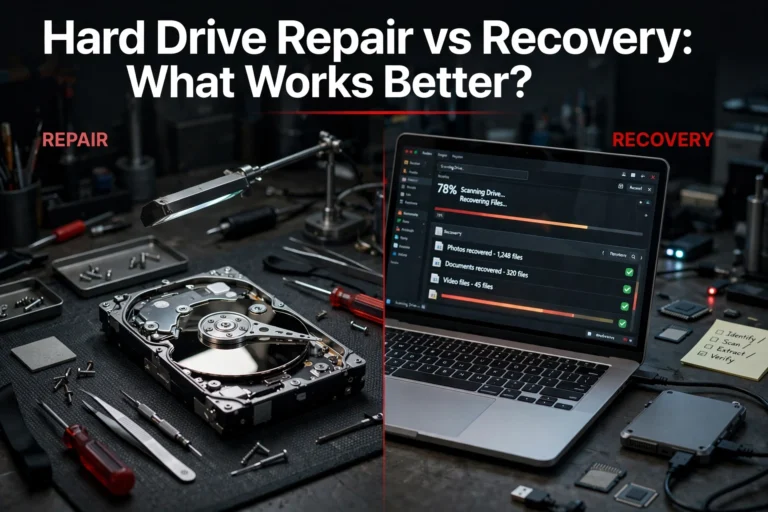
Hard Drive Repair vs Recovery: At a Glance
| Mechanical hard drive repair | Mechanical data recovery | |
|---|---|---|
| Primary goal | Address a mechanical fault | Retrieve files from the failed drive |
| When it applies | Suspected head, spindle, or internal mechanical failure | Valuable data is inaccessible after suspected mechanical failure |
| Typical approach | Professional diagnosis and component-level work when needed | Diagnosis, stabilization if required, imaging, and file extraction |
| Expected outcome | Potential access for imaging, not a dependable drive for reuse | Recovered data delivered on healthy media when feasible |
| Best for | Cases where mechanical stabilization is needed before retrieval | People who need files, not the old drive returned to service |
How Mechanical hard drive repair and Mechanical data recovery Compare
Mechanical hard drive repair
Repair stabilizes or addresses a mechanical fault, such as a failed head or spindle. It often works as a step that makes data extraction possible, not a way to restore the drive for dependable reuse. Professionals diagnose the drive first, then do component-level work only when needed.
Mechanical data recovery
Recovery retrieves files from an HDD that can no longer be read normally, using mechanical work when needed to enable controlled imaging. It suits people who need their files back, not the old drive returned to service. The goal is your data delivered on healthy media.
What Mechanical Repair Can and Cannot Do
Mechanical “repair” never fixes a hard drive. It only buys access to your data. A head swap replaces failed read/write heads with matched donor parts in a cleanroom, since a single dust particle is wider than the gap the heads fly in, as recovery engineers explain. Once the drive spins, the data is cloned off immediately. The drive is never returned to daily use.
| Repair Fixes | Repair Cannot Fix |
|---|---|
| Failed read/write heads | Scratched or damaged platters |
| Stuck heads (stiction) | Corrupted or overwritten files |
| Seized spindle motor (platter transplant) | Deleted partitions |
A clicking drive is not always a head failure. Firmware or PCB faults mimic it, and opening the case unnecessarily can destroy the data.
A donor must match far more than the model number, which is why Jet Data Recovery refers cleanroom cases to partner labs with certified ISO Class 5 environments.
Also Read: Data Recovery Services – Latest Blogs
Which Symptoms Point to Mechanical Recovery?
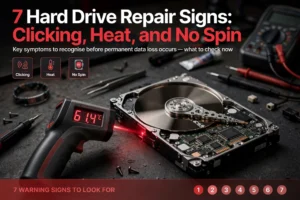
Treat Clicking, Grinding, or No Spin as a Stop Signal
Some sounds mean software trouble. These mean hardware. A rhythmic click happens when damaged read/write heads keep resetting because they can’t find their position on the platter. Grinding or scraping means the heads are already touching the surface. Beeping or total silence can point to a seized motor. Per Rossmann Repair Group, no software fixes these faults, and each retry can scratch the platters.
Power the drive down right away. Don’t reopen it, and don’t run recovery scans. Jet Data Recovery evaluates the drive and routes cleanroom cases to a partner lab, where a head swap and imaging happen in a filtered environment.
What Happens During Mechanical Data Recovery?
Mechanical recovery means temporarily fixing a drive’s broken parts so data can be copied off. It happens in a cleanroom, because a single dust particle is larger than the gap between a hard drive’s heads and its platters. A Class 100 (ISO 5) cleanroom keeps the air clean enough to open the drive safely.
The typical steps:
- Diagnose the failure – heads, motor, or firmware – before opening anything.
- Open the drive in filtered air and inspect the platters for scratches.
- Replace parts, usually a head swap using a matched donor drive (see how a head swap works).
- Clone the drive bit by bit onto healthy hardware.
The goal is a one-time read, not a working drive again.
Also Read: Blog – Jet Data Recovery
Which Should You Choose: Repair or Recovery?
Choose recovery in almost every case of mechanical failure. A failed hard drive is a sealed, precision device. No shop fixes it and hands it back for years of service – even labs that swap heads only keep the drive alive long enough to copy your files off, then retire it. As Rossmann’s lab explains, a replacement drive costs about $50, so the data is what’s worth saving.
Ask one question: do I want the drive, or my files? If your files matter, stop powering the drive on and get a professional evaluation. Jet Data Recovery handles both logical and mechanical cases through its certified labs.
Hearing clicks or grinding? Stop powering the drive and contact Jet Data Recovery for a free evaluation before repair attempts make things worse.
Frequently Asked Questions
Q1: Hard drive repair vs recovery: what works better?
Recovery. Repairs a failing drive enough to copy data out; recovery extracts files safely, ideally in a cleanroom.
Q2: Can I fix a clicking hard drive myself?
No. Powering it on can destroy the platters. Stop and consult a professional lab like Jet Data Recovery.
Q3: How much does professional recovery cost?
Most cleanroom cases range from a few hundred to over a thousand dollars, depending on damage and drive type.
Next Steps for a Mechanically Failing Drive
Repair alone never saves data. Power the drive off, leave it sealed, and treat cleanroom work as the path to recovery, not a DIY fix. Every extra power-on risks permanent platter damage, so act early and let professionals handle the mechanics.